Choose your photo.
Upload an authorized adult photo or try our fictional sample. A clear face and visible body work best. Crop and style adjustments are optional. See photo tips ↗
A Dime Dime Baby–inspired photo studio.
Add a photo. Review it. Create your moment.
Add a photo above, or try the sample to continue.
Preview edition · paid AI generation is not open yet.
Your photo stays here until you confirm AI processing.
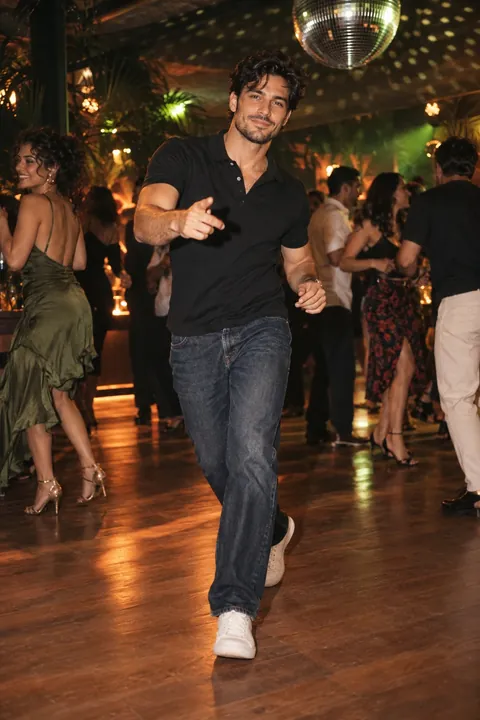
This photo was used to make this real six-second AI sample. Fictional adult · original movement · no licensed music. Results vary. xAI Grok Imagine Video 1.5 Lite.
Add a photo or try the sample above.
These tools style a still photo or add camera motion. They do not animate the person.
Add a photo above or try the sample to start.
One good photo.
Endless main-character energy.
Photo composition preview · no AI dance or music
Choose your visual direction.
The attitude is already in your camera roll.
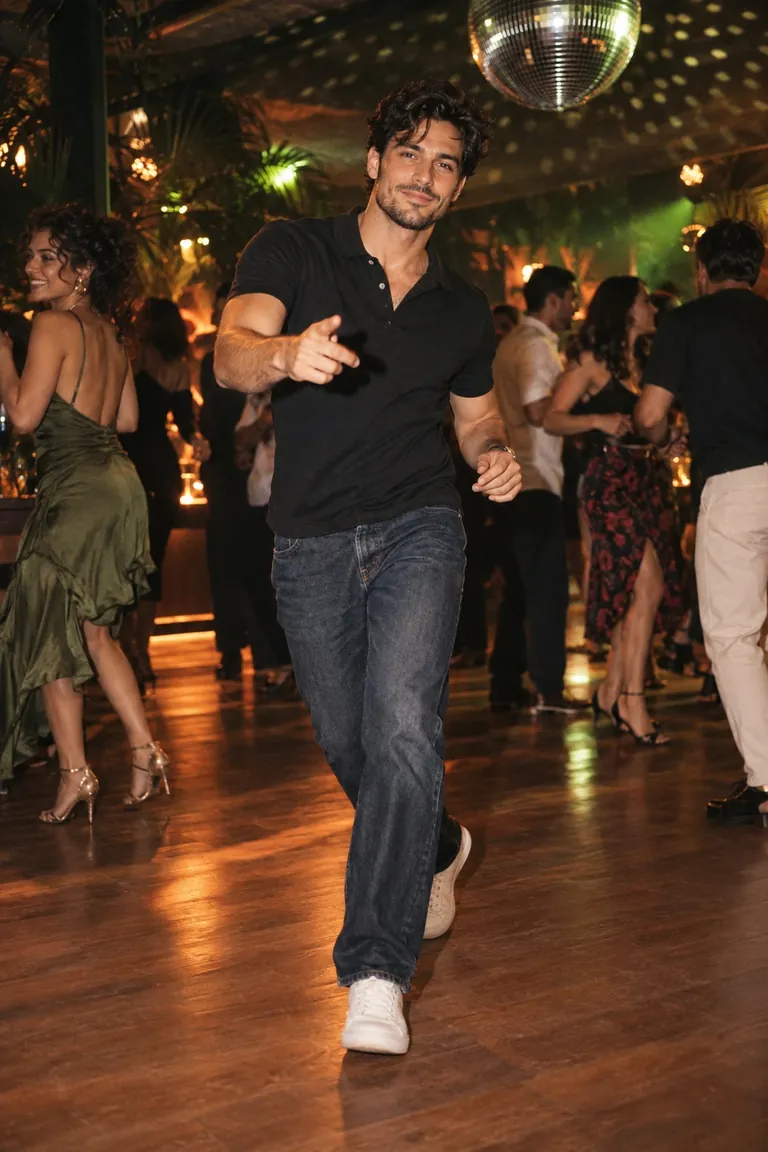 01 / THE CLASSIC
Warm lights. All eyes on you.
02 / THE NIGHT EDITDeeper tones. A little mystery.
03 / THE FILM CUTLess color. More character.
One original concept image, three color treatments. Explore them with the sample or your own photo.
Upload an authorized adult photo or try our fictional sample. A clear face and visible body work best. Crop and style adjustments are optional. See photo tips ↗
Press Review & create to check your selected photo and vertical crop. Sign in with Google, check your credits, and confirm AI processing before submitting.
When live generation opens, each six-second 720p MP4 uses 10 credits. Find the result in My account → My videos and download within 24 hours. Failed generations return their credits.
A one-time US$6.66 pack includes 30 credits for three videos; no subscription. Test mode returns the labelled existing sample, not a new animation of your photo. Free local photo tools need no sign-in.
Blur, heavy occlusion and tight crops can make movement less reliable. AI can alter facial details, hands or clothing. The sample shows one result, not a guarantee for every photo.
Movement is original; exact Dime Dime Baby choreography is not guaranteed. No licensed song is included.
Dime Dime Baby is a dance-meme phrase associated with the “BbY WOW” hook. The entrance, the attitude, the look into the camera: it’s a whole mood in a few seconds.
Dime Dime Baby AI is an independent creative studio exploring that photo-to-dance idea. Our photo-to-video studio explores original dance movement. Exact Dime Dime Baby choreography needs a compatible motion reference and is not guaranteed.
Read a guide to the trendThree videos, one simple purchase. No subscription.
See pack details & availability ↗US$6.66
30 credits. Three chances to take the floor.
Taxes, if applicable, are shown at checkout. Download completed videos within 24 hours. Refund policy
Photo requirements, generation, credits and downloads.
Check the availability notice beside the upload controls. In test mode, checkout uses test payments and returns the labelled existing sample, not a new video of your upload. When live generation is available, sign in with Google, buy credits and confirm photo processing. Original movement varies; exact Dime Dime Baby choreography is not guaranteed.
The photo loop adds gentle camera movement to your still photo. It does not animate the person’s body, lip-sync, or reproduce choreography. AI video synthesizes new frames and movement from your photo. It requires a signed-in account, credits and photo consent; exact choreography is not guaranteed.
Use a clear JPG, PNG or WebP under 10 MB. One adult with their face and most of their body visible works best. You can adjust the zoom and vertical crop in the studio.
No exact choreography is guaranteed. AI creates original movement from your photo, inspired by the trend. The service does not include the licensed original song. The before-and-after sample shows an actual output from the displayed fictional-adult source photo.
Completion time varies. Open My account → My videos to check the same job, or use Check this job again in its result window. Processing is not the same as failure. Avoid starting a replacement while the first job is still being checked, because a separate video uses another 10 credits.
A failed generation returns its 10 credits automatically; a credit return is different from a cash refund. If payment looks unsuccessful, check your account balance and receipt before paying again. Contact ijustwanttodothis@gmail.com with your order reference if you are unsure. See the refund policy.
Photo cards and photo loops stay in your browser. If you choose AI video and consent, your cropped photo is temporarily uploaded to this site and sent to OpenRouter and its video provider. Photo and job access expires after 24 hours, with automatic cleanup. Provider retention follows their own policies.
Photo cards and local WebM loops are free. AI video uses 10 credits per six-second 720p clip. A US$6.66 one-time pack includes 30 credits for three clips; applicable taxes are shown at checkout. Failed generations return their credits. Test checkout is clearly labelled and does not take real payments. No licensed Dime Dime Baby song is included.
No. This is an independent project. The fictional dancer image is AI-created concept art, and the look cards show color treatments of that same image. We are not affiliated with the artists, labels or social platforms.